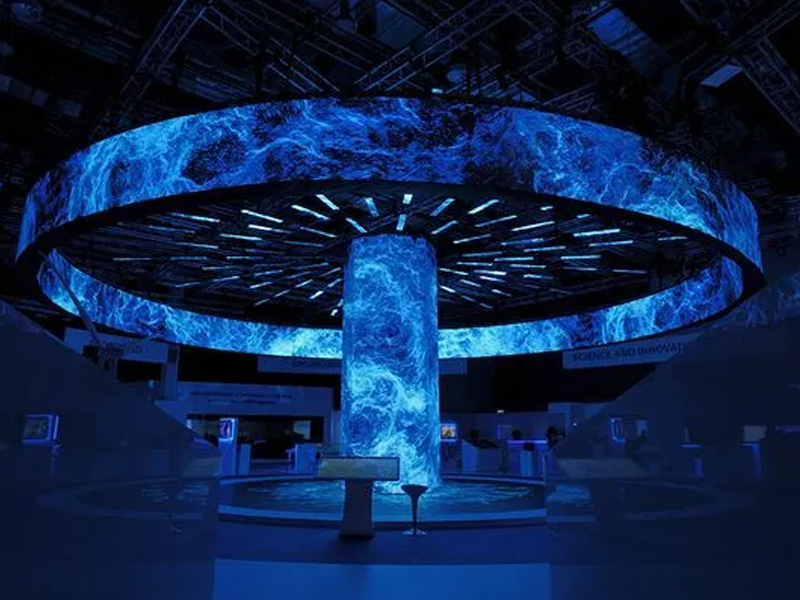
Curved LED displays—whether they wrap around a corporate boardroom, bend seamlessly around a building corner, or create an immersive wave at a live concert—look absolutely stunning. Their smooth, flowing lines elevate any visual content. However, when a technical glitch disrupts that smooth curve, it instantly breaks the illusion.
A common and highly frustrating issue operators face is when a single, horizontal line of pixels across a section of the screen suddenly begins to flash random colors, flicker wildly, or display chaotic static.
Because curved screens rely on flexible or specialized narrow modules to create their bend, they handle physical stress and data routing differently than flat screens. Let's look at exactly what causes a single line to glitch and how you can fix it.
When a large patch of a screen glitches, you usually blame a main data cable or a receiving card. However, when the issue isolates itself to one single line, you can narrow your focus down to the component level.
In a curved LED wall, this specific symptom almost always points to one of three issues:
This is the number one cause of single-line failures. LED modules use rows of tiny microchips called Drive ICs to tell the pixels when to light up and what color to display. Each chip controls a specific number of rows or columns. If a single Drive IC overheats, burns out, or suffers a static shock, it loses control and forces its assigned row into a frenzy of flashing static.
To achieve a curved shape, manufacturers must use flexible PCB boards or mount rigid modules on a precise angle. This design puts continuous physical tension on the hardware. Over time, the subtle curve can cause a microscopic fracture in a solder joint right where the Drive IC connects to the board, breaking the signal path for that specific row.
Internal ribbon cables carry data across the module. If a single pin inside the connector—specifically the one responsible for the "Row Select" or "Clock" signal—gets bent, dirty, or loose, the data for that entire line becomes corrupted.
Because curved screens require precision alignment, you want to fix the issue with minimal disruption to the physical structure. Follow these steps to isolate and solve the problem:
Look closely at the flashing line to see exactly where it starts and stops.
Turn off the power to the screen section and gain access to the rear of the glitching module. Unplug the ribbon cables feeding that specific panel, clean the ports with a blast of compressed air, and firmly reseat them. While doing this, check for any tight bends in the cable caused by the screen's curvature, as tight angles can pull pins out of alignment.
Turn the screen back on with a solid color test pattern running. Gently tap the back of the glitching module near the drive chips with an insulated tool (like the plastic handle of a screwdriver). If the flashing line flickers, disappears, or changes behavior when you apply pressure, you have confirmed a loose solder joint caused by the curve's physical tension.
In the LED industry, a single line that stays permanently bright or flashes uncontrollably is sometimes called a "caterpillar." Because curved displays trap more heat behind their bent chassis than flat, open-air walls, inadequate ventilation will accelerate Drive IC failure. Always ensure your curved installations have proper cooling fans running behind the frame.
A single flashing line across your beautiful curved LED wall can ruin an otherwise perfect presentation, but it is a highly fixable issue. By understanding that a lone glitching row points directly to a localized Drive IC or a strained connection, you can bypass the main system settings and target the exact module causing the headache. Keep your display cool, maintain a stock of flexible spare modules, and your curved screen will look flawless from every angle.
 Hot News
Copyright © 2025 by Shenzhen Aishang Display Technology Co., Ltd - Privacy policy
 EN
EN